Scene 1 (0s)
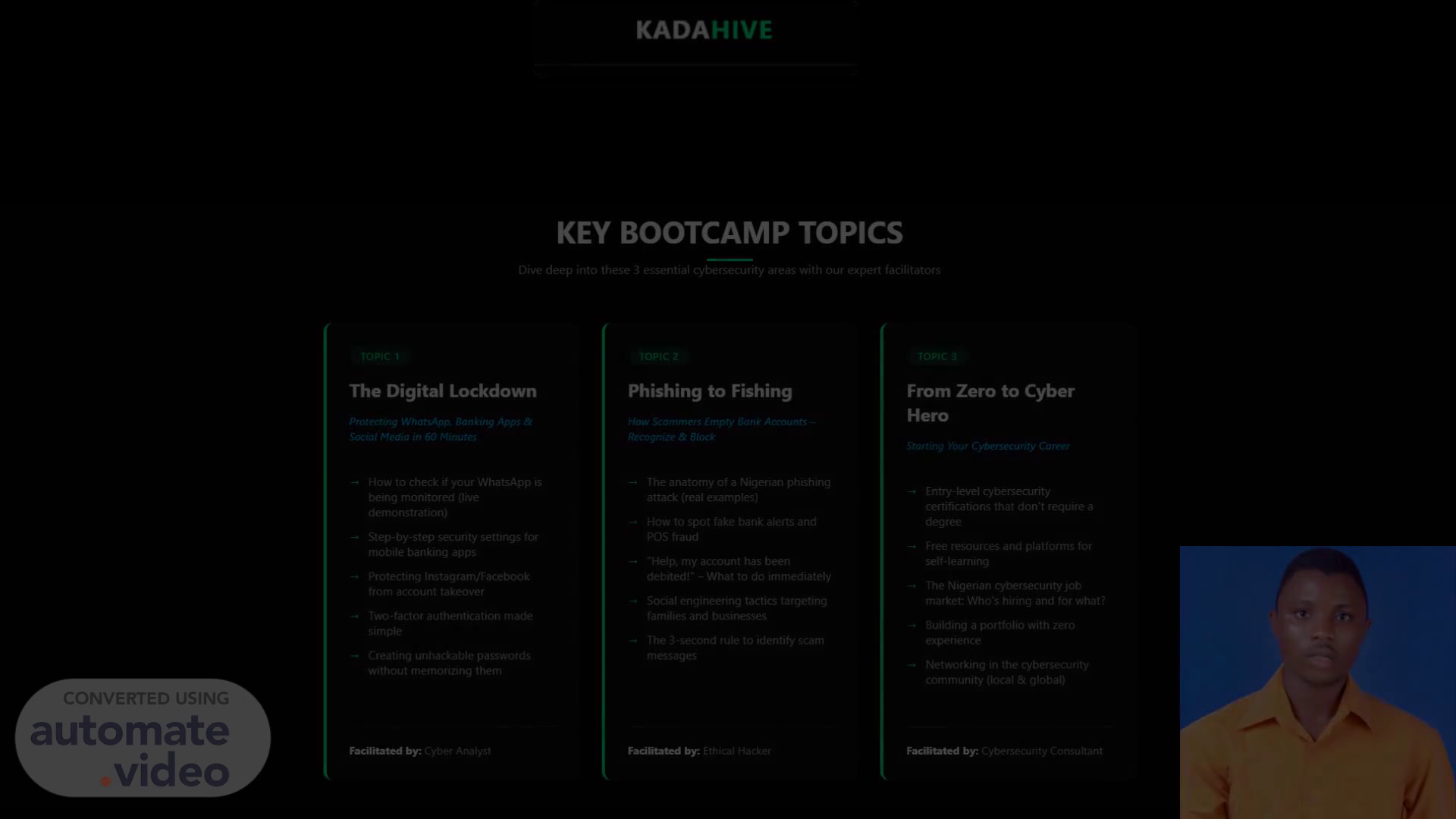
KEY BOOTCAMP TOPICS Dive deep into these 3 essential cybersecurity areas with our expert facilitators TOPIC 1 The Digital Lockdown Protecting WhatsApp, Banking Apps & Social Media in 60 Minutes How to check if your WhatsApp is being monitored (live demonstration) Step-by-step security settings for mobile banking apps -4 protecting Instagram/Facebook from account takeover Two-factor authentication made simple Creating unhackable passwords without memorizing them Facilitated by: Cyber Analyst TOPIC 2 Phishing to Fishing How Scammers Empty Bank Accounts Recognize & Block -4 The anatomy of a Nigerian phishing attack (real examples) How to spot fake bank alerts and pos fraud "Help, my account has been debited!" - What to do immediately Social engineering tactics targeting families and businesses The 3-second rule to identify scam messages FaöEtated by: Ethical Hacker TOPIC 3 From Zero to Cyber Hero Starting Your Cybersecurity Career Entry-level cybersecurity certifications that don't require a degree Free resources and platforms for self-learning The Nigerian cybersecurity job market: Who's hiring and for what? Building a portfolio with zero experience Networking in the cybersecurity community (local & global) by Cybersecurity Consultant.
Scene 2 (1m 10s)
[Audio] The Digital Lockdown: Protecting Your Digital Life Protecting your digital life from various threats requires a proactive approach. You can start by checking if your WhatsApp is being monitored. Here are some steps to follow: 1. Open WhatsApp and go to Settings. 2. Scroll down to the "Account" section. 3. Tap on "Two-Factor Authentication" (2FA). 4. Enable 2FA by tapping on the switch next to it. This will add an extra layer of security to your WhatsApp account. Next, let's move on to securing your mobile banking app. To do this, follow these steps: 1. Open your mobile banking app. 2. Go to Settings. 3. Look for the "Security" option. 4. Select "Biometric Authentication" or "Fingerprint Authentication". 5. Choose a strong password or PIN. By doing so, you'll be able to access your bank account securely using biometric authentication methods like fingerprint scanning. Now that we have covered WhatsApp and mobile banking, let's talk about protecting your social media accounts from account takeovers. Here are some steps to follow: 1. Go to your social media profile page. 2. Click on the three dots at the top right corner. 3. Select "Settings" or "Account Settings". 4. Look for the "Security" option. 5. Enable two-factor authentication (2FA) if available. Additionally, consider changing your password regularly and enabling two-factor authentication whenever possible. Finally, let's discuss creating unhackable passwords. To create a strong password, follow these steps: 1. Use a combination of uppercase and lowercase letters. 2. Include numbers and special characters. 3. Make sure your password is at least 12 characters long. 4. Avoid using easily guessable information such as your name, birthdate, or common words. By following these guidelines, you can create a strong and unique password that will protect your digital assets..
Scene 3 (1m 12s)
[Audio] The threat of cybercrime is a serious issue that affects individuals and organizations worldwide. The increasing complexity of technology has created numerous opportunities for cybercriminals to exploit vulnerabilities in digital systems. As a result, it is essential to take proactive steps to protect oneself from cyber threats. This includes implementing robust cybersecurity measures, such as firewalls, antivirus software, and regular updates to operating systems and applications. Furthermore, being aware of phishing scams and other types of social engineering tactics can help prevent cyber attacks. Additionally, using strong passwords and two-factor authentication can significantly reduce the risk of unauthorized access to digital systems. By taking these precautions, individuals can enjoy peace of mind knowing their digital footprint is secure..
Scene 4 (1m 14s)
[Audio] The user's phone was hacked and their WhatsApp account was compromised. The hacker had installed a malicious software on the phone which allowed them to access the account remotely. The hacker then used the compromised account to send fake messages to friends and family members. The victim did not know about the hacking until they received an unexpected message from one of their friends. The victim immediately contacted their carrier to report the incident and requested assistance with securing their account. Carrier Assistance The carrier provided the victim with information on how to secure their account. They explained that the first step would be to change the password and enable two-factor authentication (2FA). The carrier also recommended using a reputable antivirus program to scan the device for malware. The carrier further advised the victim to review their account settings and ensure that all apps were up-to-date. The carrier also suggested that the victim use a VPN to encrypt their internet connection when using public Wi-Fi networks. Additional Measures In addition to the measures taken by the carrier, the victim took extra steps to protect themselves. They changed their phone's operating system and installed new security software. They also set up a firewall on their device and enabled the "Find My Device" feature. The victim also created a backup of their WhatsApp account and encrypted it using a third-party app. They also set up a screen lock on their device and enabled the "Screen Time" feature. Securing WhatsApp Account To secure their WhatsApp account, the victim followed these steps: 1. Change the password. 2. Enable two-factor authentication (2FA). 3. Use a reputable antivirus program to scan the device for malware. 4. Review account settings and update all apps. 5. Use a VPN to encrypt internet connections when using public Wi-Fi networks. 6. Set up a firewall on the device. 7. Enable the "Find My Device" feature. 8. Create a backup of the WhatsApp account and encrypt it. 9. Set up a screen lock on the device. 10. Enable the "Screen Time" feature. By taking these steps, the victim was able to secure their WhatsApp account and prevent future hacking attempts..
Scene 5 (1m 16s)
[Audio] ## Step 1: Enable Biometric Authentication Enable fingerprint or face ID for quick and secure access, adding an extra layer of protection. ## Step 2: Use Strong Passcodes Always use a complex, unique passcode for your app, distinct from your device's unlock code. ## Step 3: Set Up Transaction Alerts Set up notifications for all transactions, allowing you to instantly detect any unauthorised activity. The final answer is:.
Scene 6 (1m 18s)
[Audio] The social media platforms have been criticized for their lack of effective cybersecurity measures. Many users are unaware of the risks associated with using these platforms. The majority of users do not take adequate precautions to protect themselves from cyber threats. As a result, many people's personal data has been compromised due to phishing scams, malware attacks, and other forms of cybercrime. This can lead to financial loss, identity theft, and emotional distress. Furthermore, the use of social media platforms can also expose individuals to online harassment and bullying..
Scene 7 (1m 20s)
[Audio] Two-factor authentication is a process that involves verifying a user's identity through two different means, such as a password and a phone number or authenticator app. This adds an extra layer of security to prevent unauthorized access to an account. By requiring both a known identifier, like a password, and a separate form of verification, such as a code sent via SMS or an authenticator app, users can significantly reduce the risk of their account being compromised. This method is particularly effective because even if a hacker manages to obtain a user's password, they will still require the second factor to gain access to the account..
Scene 8 (1m 22s)
[Audio] ## Step 1: Choose a Memorable Phrase Choose a memorable phrase or sentence that is easy for you to remember. ## Step 2: Modify the Phrase Take the first letter of each word in the phrase and add numbers and symbols to make it more secure. ## Step 3: Use the Modified Phrase as Your Password This approach makes it easy for you to remember while rendering it virtually impossible for hackers to guess. ## Step 4: Consider Using a Password Manager Utilize reputable password managers like LastPass or 1Password to generate, store, and auto-fill unique, strong passwords for all your accounts. ## Step 5: Generate a Master Password Using a password manager requires only one master password to recall, making it easier to manage multiple passwords securely. ## Step 6: Adopt Either Method By adopting either the Password Phrase Method or using a password manager, you can significantly enhance your password security. The final answer is:.
Scene 9 (1m 24s)
[Audio] The company has been working on improving its digital security measures since 2018. Since then, they have implemented various strategies to protect their customers from cyber threats. One of the key strategies is the implementation of a robust security framework that includes multiple layers of protection. The framework consists of a combination of hardware and software components, including firewalls, intrusion detection systems, and encryption technologies. The company also provides training and support to its employees to ensure they are equipped with the necessary skills to identify and respond to potential security threats. Furthermore, the company has established partnerships with other organizations to share threat intelligence and best practices. These efforts have resulted in significant improvements in the company's overall digital security posture..
Scene 10 (1m 26s)
[Audio] The most common mistake people make when it comes to digital security is reusing passwords across multiple sites. This can lead to a situation where an attacker gains access to one account and then uses that same password to gain access to other accounts. Failing to keep software up-to-date also poses significant risks. Outdated software can leave systems vulnerable to known vulnerabilities, allowing attackers to exploit them for malicious purposes. Furthermore, many users do not change default passwords, which can provide easy entry points for hackers. Some individuals may not use two-factor authentication, leaving their accounts vulnerable to unauthorized access. This lack of security measures can have serious consequences, including financial loss and identity theft..
Scene 11 (1m 28s)
[Audio] The key takeaways from this security action plan are that you should activate two-factor authentication (2FA) for all critical accounts such as email, banking, and social media. This will add an extra layer of protection against unauthorized access. Additionally, updating passwords to strong, unique phrases is essential. A password manager can help you keep track of multiple passwords securely. Furthermore, reviewing app settings on platforms like WhatsApp, banking apps, and social media platforms is crucial to ensure your data remains private. Regularly reviewing your security practices is also vital to maintain your digital safety..