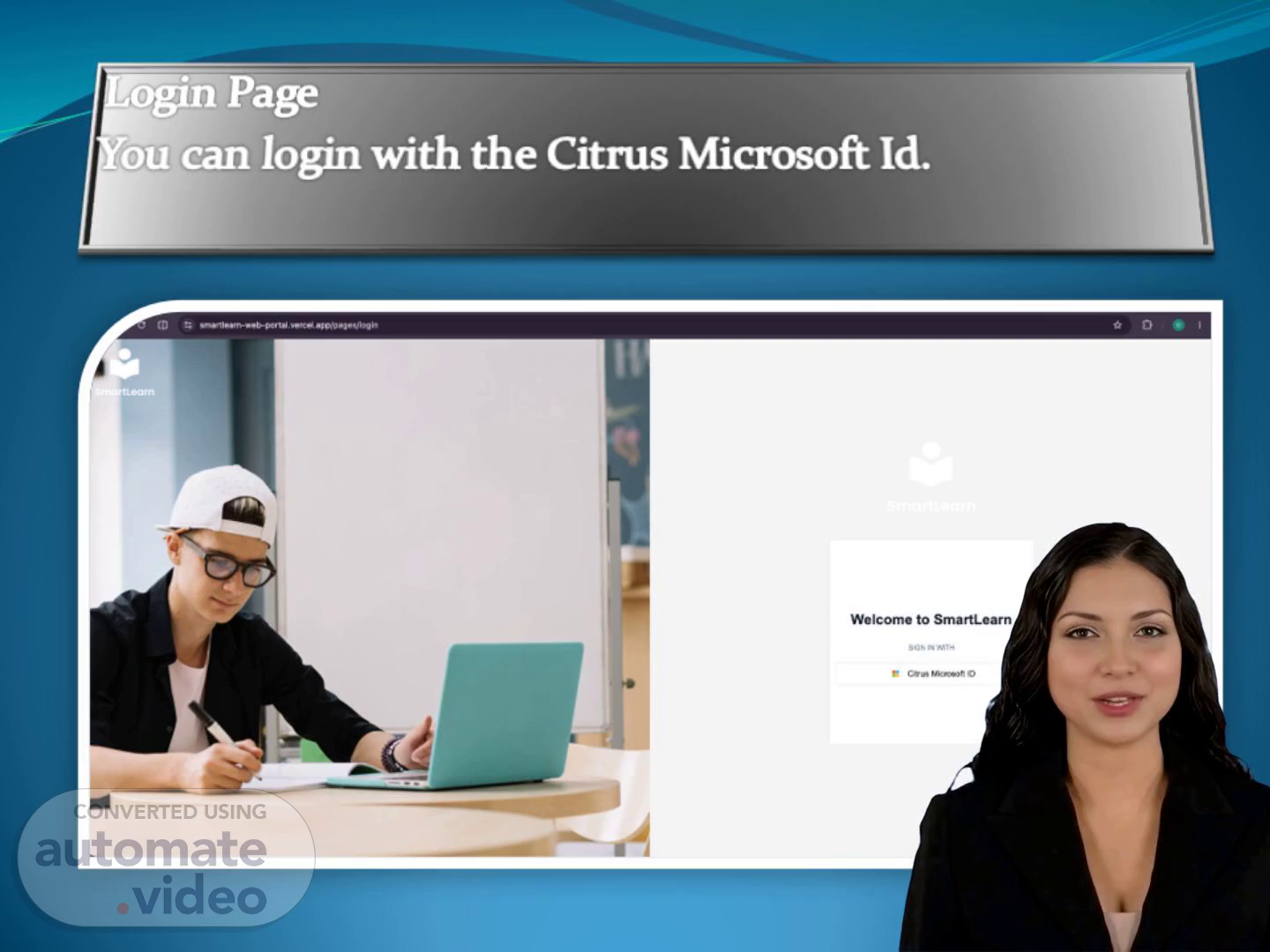
Scene 1 (0s)
[Virtual Presenter] Login Page You can login with the Citrus Microsoft Id..
Scene 2 (8s)
[Virtual Presenter] Profile Update Page Once successfully logged in, you need to update your profile information.
Scene 3 (17s)
[Virtual Presenter] Main Dashboard After profile updated, user will be navigated to the main Dashboard.
Scene 4 (26s)
[Virtual Presenter] Course Dashboard From the Main Dashboard, please select the course “Secure Software Development Life Cycle”, then user will be navigated to the Course Dashboard.
Scene 5 (38s)
[Virtual Presenter] Assignments section In the Course Dashboard, below is the assignments; user has to attend one by one..
Scene 6 (49s)
[Virtual Presenter] Assignment I The first assignment is a P-D-F document; user need to review all pages..
Scene 7 (58s)
[Virtual Presenter] Assignment I Once the user has reviewed the full content, select the Assessment button at the end of the first assignment (P-D-F--) and complete the review..
Scene 8 (1m 10s)
[Audio] Assignment 2 Once the user has completed the assignment 1, move to Assignment 2..
Scene 9 (1m 22s)
[Audio] Assignment 3 Once the user has completed the assignment 2, move to Assignment 3; a video. User need to review the entire video (24 minutes)..
Scene 10 (1m 35s)
[Audio] Final Assignment Once the user has completed the assignment 3, move to final assignment; a video. User need to review the entire video (6 minutes 49 seconds)..
Scene 11 (1m 48s)
[Audio] Assessment during the video During the final video, at 6th minute, a popup will occur for the assessment to attend. The video will be paused for resuming after the assessment succeed..
Scene 12 (2m 1s)
[Audio] Assessment Result During the assessment, an exam will be opened which contains 5 questions, user need to answer it. Once all questions answered correctly, the user succeeded in the assessment..
Scene 13 (2m 14s)
[Audio] Complete the rest of the video Once user succeeded in the assessment, user need to continue watching the video for remaining 49 seconds..
Scene 14 (2m 26s)
[Audio] Dashboard When the user completed all the 4 assignments with 100% progress, the dashboard will reflect with this..
Scene 15 (2m 36s)
[Audio] Final Result Once the user succeeded all the 4 assignments and assessments with 100%, user has completed the Secure S-D-L-C course; now the user is eligible for the Certificate. Hi , Congratulations on successfully completing your course on SmartLearn! You have successfully completed 100% of on . What you learned Through this course, you have strengthened your knowledge and awareness in: This training has helped you build a better understanding of tst, supporting your ability to apply these practices effectively in your day to day work. Your Achievement Course: Category: Completed On: Progress: 100% Completed Your commitment to continuous learning contributes to a stronger culture of security, compliance, technology excellence, and professional development across our organization. Thank you for taking the time to learn, grow, and strengthen your skills. Congratulations once again on your achievement! Keep learning. Keep growing. Keep making an impact. Best regards, SmartLearn Team.