

Page 1 (0s)
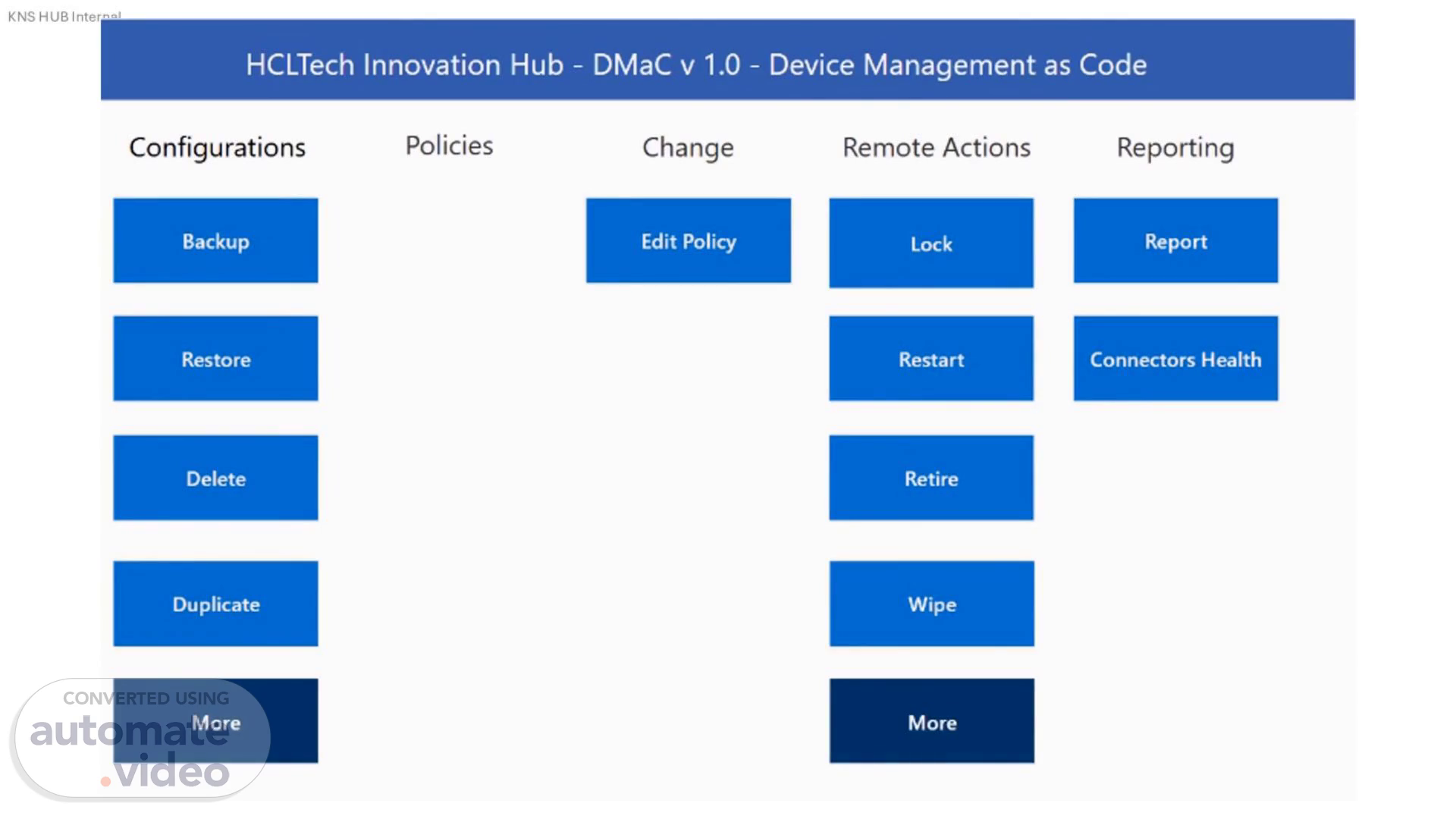
HCLTech Innovation Hub - DMaC v 1.0 - Change Edit Policy Device Management as Code Configurations Backup Restore Delete Duplicate More Policies Remote Actions Lock Restart Retire Wipe More Reporting Report Connectors Health.
Page 2 (35s)
[Audio] Let's dive in! This is our Intune test tenant, where we'll be demonstrating device configuration policies for Windows devices. In this session, we'll select one of the policies for backup and restoration, showcasing how easily you can manage and transfer configurations within or across tenants. Let's get started!.
Page 3 (1m 21s)
[Audio] Here's our test policy, "DWPAutopilotDomainJoin", designed to assist organizations in seamlessly joining devices to the domain during the Windows Autopilot process. This policy plays a crucial role in streamlining the device setup, ensuring smooth enrollment, and a hassle free domain join experience. Let's take a closer look at how we can back it up and restore it efficiently.
Page 4 (1m 48s)
[Audio] These settings will be used specifically for our backup, restoration, and migration demos..
Page 5 (2m 2s)
[Audio] On the DMaC home screen, use the Backup button to start the backup or migration.
Page 6 (2m 9s)
[Audio] A complete list of device configuration policies available for backup or migration will be shown..
Page 7 (2m 17s)
[Audio] Now, select our demo policy from the list.
Page 8 (2m 24s)
[Audio] Click Backup. You can also add a prefix to the backup policy to help identify it. For this demo, the date is used as the prefix: 14JanBackup.
Page 9 (2m 35s)
[Audio] The backup will be stored in a centrally approved repository; for demo purposes, SharePoint is used.
Page 10 (2m 44s)
[Audio] As the next step in the migration or backup/restore process, the policy must be restored in the destination environment. For the same hit the restore button on home screen.
Page 11 (2m 55s)
[Audio] You will find your backed up policy in the list.
Page 12 (3m 3s)
[Audio] Select the policy and click Restore. For demo purposes, we will restore the policy using the same backup name to avoid duplication on the portal.
Page 13 (3m 13s)
[Audio] Here is the restore policy. Microsoft Intune admin center Home Dashboard All services Explorer Devices Apps Endpoint security Agents Reports Users Groups Tenant administration Troubleshooting + support Home > Devices I Windows > Windows Windows I Configuration Search Windows devices Monitor Device onboarding Windows 365 Enrollment Manage devices Configuration Compliance Scripts and remediations Group Policy analytics _ eSlM cellular profiles ¯ (preview) Manage updates Windows updates Organize devices Device clean-up rules Assignment filters Policies Import ADMX -F Create CD Refresh p Search Export Columns v Q) 14JanBackup_ DWPAutopilotDomainJoin 14JanBackup DWPAutopilotDomainJoin All Devices GroupPolicyConfiguration All Devices Windows10CustomDenyStore All Devices Windows10General Allow Telemetryss Audit_WithoutCERT-SignedReputable2024-10-16 Device Propertiess Domain Join Profile DWPAutopilotDomainJoin Enforced_WithCERT-SignedReputable2024-10-15 Add filters Platform Windows 10 and later Windows 10 and later Windows 10 and later Windows 10 and later Windows 10 and later Windows 10 and later Windows 10 and later Windows 10 and later Windows 10 and later Windows 10 and later Copilot Policy type Domain join Administrative templates Custom Device restrictions Device restrictions App Control for Business Properties catalog Domain join Domain join App Control for Business 10, 5/1 10,.
Page 14 (3m 40s)
[Audio] and here is the restored settings. A screenshot of a computer AI-generated content may be incorrect..
Page 15 (3m 48s)
[Audio] In this demo, we successfully restored a policy using DMaC with just a few simple clicks. Imagine handling a large number of policies for migration or backup/restore—such as during mergers and acquisitions. The same process can be applied, saving significant time and eliminating the risk of errors.