Scene 1 (0s)
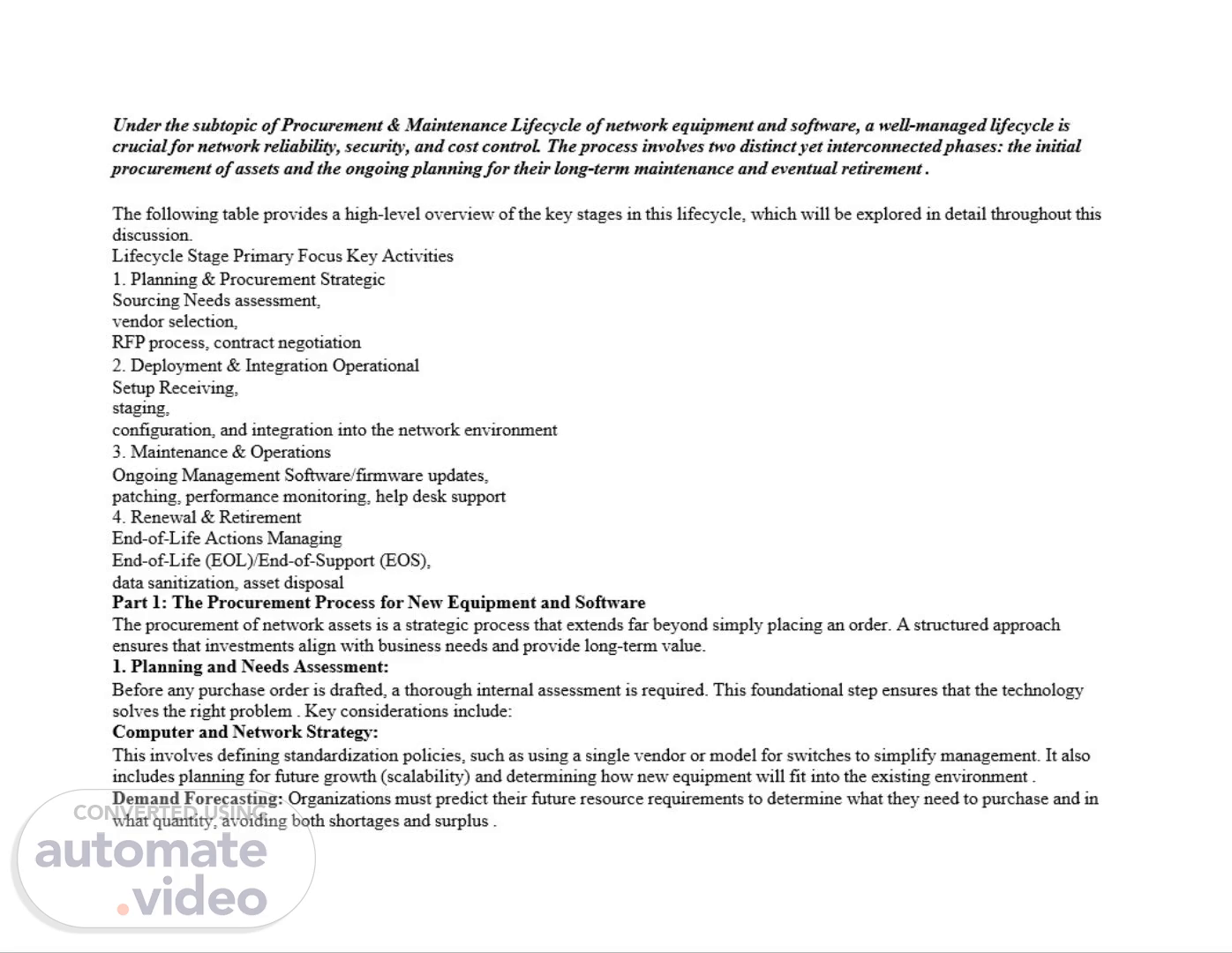
Under the subtopic of Procurement & Maintenance Lifecycle of network equipment and software, a well-managed lifecycle is crucial for network reliability, security, and cost control. The process involves two distinct yet interconnected phases: the initial procurement of assets and the ongoing planning for their long-term maintenance and eventual retirement . The following table provides a high-level overview of the key stages in this lifecycle, which will be explored in detail throughout this discussion. Lifecycle Stage Primary Focus Key Activities Planning & Procurement Strategic Sourcing Needs assessment, vendor selection, RFP process, contract negotiation Deployment & Integration Operational Setup Receiving, staging, configuration, and integration into the network environment Maintenance & Operations Ongoing Management Software/firmware updates, patching, performance monitoring, help desk support Renewal & Retirement End-of-Life Actions Managing End-of-Life (EOL)/End-of-Support (EOS), data sanitization, asset disposal Part 1: The Procurement Process for New Equipment and Software The procurement of network assets is a strategic process that extends far beyond simply placing an order. A structured approach ensures that investments align with business needs and provide long-term value. Planning and Needs Assessment: Before any purchase order is drafted, a thorough internal assessment is required. This foundational step ensures that the technology solves the right problem . Key considerations include: Computer and Network Strategy: This involves defining standardization policies, such as using a single vendor or model for switches to simplify management. It also includes planning for future growth (scalability) and determining how new equipment will fit into the existing environment . Demand Forecasting: Organizations must predict their future resource requirements to determine what they need to purchase and in what quantity, avoiding both shortages and surplus ..
Scene 2 (1m 5s)
Design Configuration: This step determines which new features will be used and how to incorporate them into the overall network architecture. Compatibility testing with existing applications and systems is crucial here to prevent integration issues later . 2. The Formal Procurement Cycle Once the internal plan is set, the formal process of engaging with the market begins. This is often managed through a structured workflow, ideally within a procurement system, to maintain control and compliance . Procurement Request and Vendor Screening: A formal request is created to justify the purchase. The procurement team then researches the market to identify potential suppliers who can meet the technical requirements . Using pre-approved supplier lists and catalogs can streamline this step and ensure compliance with company policy . Request for Proposal (RFP) and Evaluation: For significant purchases, an RFP is published to potential vendors. This document details the project's requirements, timeline, and expectations. Modern tools can digitize this process, allowing for easy comparison of costs, bandwidth, installation timelines, and even network path diversity across multiple vendor quotes . Vendor Selection and Contract Negotiation: After evaluating proposals, a vendor is selected. The negotiation phase is critical for finalizing service-level agreements (SLAs), support terms, pricing, and delivery schedules. Centralizing all supplier contracts and renewal dates in a single system helps in managing these relationships and avoiding costly auto-renewals . 3. Finalizing the Purchase With the contract signed, the operational side of procurement begins. Drafting the Purchase Order (PO): A detailed PO is created, listing the exact items, prices, specifications, and terms. This serves as the formal binding document for the transaction . Hardware Staging and Inventory: Before new equipment is deployed, it must be properly handled. This process, known as staging, involves securely storing, unpacking, inspecting, and inventorying the systems upon arrival. It is also the ideal time to perform initial configuration, apply standard security baselines, and tag the asset for tracking in an IT Asset Management (ITAM) system . Part 1: The Procurement Process for New Equipment and Software (Elaborated) The procurement process can be visualized as a funnel: starting with a broad understanding of business needs, then narrowing down technical requirements, and finally selecting and acquiring the specific solution. 1. Planning and Needs Assessment: The Blueprint Phase This is the most critical, and often most rushed, part of the process. Its goal is to answer the "why," "what," and "how many" before asking "from whom." A. Business & Technical Requirement Analysis: Problem/Opportunity Definition: What business problem are we solving, or what opportunity are we enabling? (e.g., "The current network can't handle the bandwidth for our new video collaboration tool, causing poor user experience.").
Scene 3 (2m 10s)
Functional Requirements: What must the new equipment/software do? This is from a user's perspective. (e.g., "Must support 500 simultaneous video conference calls," "Must provide guest Wi-Fi access with separate authentication," "Must automate network access for new IoT devices.") Non-Functional Requirements (The 'ilities'): These are the quality attributes and constraints, which are just as important. Performance: Specific metrics for throughput (e.g., 40 Gbps on the backbone), latency (e.g., < 5ms between core switches), and packet loss. Scalability: Can the solution grow with the company? (e.g., "The core switch chassis must support at least 50% more ports than we currently need.") Reliability & Availability: What uptime is required? This dictates the need for redundancy (dual power supplies, hot-swappable modules) and influences the choice between 99.9% (eight hours of downtime/year) and 99.999% (five minutes of downtime/year) equipment. Security: Specific security features needed, such as 802.1X network access control, MACsec encryption, or integration with the company's Security Information and Event Management (SIEM) system. Compatibility: How will it fit into the existing ecosystem? (e.g., "Must integrate with our existing Active Directory for user authentication," "Must support SNMP v3 for monitoring by our current SolarWinds system." B. Strategic Alignment & Standardization: Vendor/Platform Strategy: Does the company have a preference for a single vendor (e.g., Cisco-only shop) for simplified management, or is a best-of-breed, multi-vendor approach preferred? This decision impacts training, staffing, and management tool complexity. Standardization: Defining standards for the new purchase. For example, standardizing on a specific switch model for all access-layer closets simplifies configuration management, reduces the number of spare parts needed, and makes troubleshooting easier for the team. Future-Proofing: Looking at the company's 3-5 year roadmap. Will there be a major office expansion? A move to the cloud? The equipment purchased today must be able to support these future initiatives. C. Demand Forecasting & Capacity Planning: Quantifying the Need: Based on the requirements, determine the exact specifications. How many ports are needed, and of what speed (1GbE, 10GbE, 25GbE)? How many software licenses are required? Is it a perpetual license or a subscription? Bill of Materials (BoM) - First Draft: Create a preliminary list of all necessary components. This includes not just the main chassis but also power supplies, fans, optics (SFPs), cables, and software licenses. Forgetting optics is a classic and costly mistake. D. Design & Configuration Planning: High-Level Design (HLD): A diagram showing how the new equipment will fit into the network topology. Where will it be placed? How will it connect to existing core/distribution/access layers? What routing protocols will be used (e.g., OSPF, BGP)? Low-Level Design (LLD): This is a more detailed plan that includes specific configuration details like VLAN assignments, IP addressing schemes, Quality of Service (QoS) policies, and security access-control lists (ACLs). Creating this before purchasing helps ensure the chosen equipment can actually support the intended configuration..
Scene 4 (3m 15s)
The Formal Procurement Cycle: The Sourcing Phase With the blueprint in hand, the organization now engages with the market to find the best match. Procurement Request & Budgeting: Internal Approval: The detailed plan is packaged into a formal request (often called a Purchase Requisition) and submitted for internal approval. This includes a cost estimate (CAPEX for hardware/perpetual licenses, OPEX for subscriptions/support) and a clear business case justification. Vendor Identification & Screening: Market Research: Identify potential vendors who can meet the technical requirements. This includes traditional hardware vendors (Cisco, Arista, Juniper, HPE Aruba), software vendors (VMware, Microsoft), and Value-Added Resellers (VARs) who can bundle products and services. Pre-qualification: Ensure potential vendors meet basic criteria like financial stability, relevant experience, and adherence to compliance standards (e.g., FedRAMP for government work). Checking references is crucial here. Request for Proposal (RFP) / Request for Quotation (RFQ) Process: Creating the RFP Document: This is a formal document sent to shortlisted vendors. A good RFP contains: Executive Summary: Overview of the project. Background Information: Context about the company and its current environment. Scope of Work (SOW): A detailed description of the project's objectives and deliverables. Technical Requirements: The functional and non-functional requirements gathered in Phase 1, often presented as a checklist for vendors to respond to. This is the core of the RFP. Service Level Agreements (SLAs): Expectations for support, like response times for critical outages (e.g., 4-hour hardware replacement, 24/7 phone support). Commercial Terms: Instructions on how to submit pricing (e.g., itemized list, discount structure, maintenance costs). Evaluation Criteria: How the proposals will be judged (e.g., 40% technical fit, 30% price, 20% vendor experience, 10% SLA compliance). Transparency here helps vendors tailor their responses. Timeline and Submission Guidelines: Clear deadlines and format requirements. Vendor Responses & Evaluation: A cross-functional team (Network Engineering, Security, Procurement, Finance) should evaluate the responses. This often involves a scoring matrix based on the pre-defined criteria. Product demonstrations or proof-of-concept (PoC) deployments in a lab environment can be invaluable for validating vendor claims. Vendor Selection, Negotiation & Contracting: Final Selection: Based on the evaluation, a primary vendor is selected. Negotiation: This is not just about price. Key areas to negotiate include: Discounts: Off-list price for hardware/software..
Scene 5 (4m 20s)
Support Costs: The annual maintenance and support contract (typically 10-20% of the purchase price). Can this be capped for a multi- year deal? SLA Terms: Clarifying and strengthening SLAs. For example, ensuring "business hours" are clearly defined and that penalties exist for missed SLAs. Training & Professional Services: Including onsite training for the IT team or professional services for installation and configuration as part of the deal. Software Licensing Terms: Understanding true-up costs, audit rights, and termination clauses. Contract Finalization: All negotiated terms are documented in a final contract or Master Service Agreement (MSA). This document legally governs the entire relationship. Finalizing the Purchase & Pre-Deployment: The Execution Phase The deal is signed, and the focus shifts to the operational tasks that ensure a smooth transition from purchase to deployment. Drafting the Purchase Order (PO): The procurement team generates a legally binding PO based on the final negotiated quote and contract. The PO is sent to the vendor, officially authorizing them to fulfill the order. It should reference the contract and include all line items with agreed-upon pricing. Logistics and Fulfillment: The vendor acknowledges the PO and provides a projected ship date. The procurement team coordinates shipping details, ensuring the equipment is delivered to the correct location (often a staging area, not the final destination). Hardware Staging, Configuration, and Inventory (The "FAT" - Factory Acceptance Test): This is a critical operational step that bridges procurement and deployment. Receiving & Inspection: Upon delivery, equipment is received at a staging facility, not the data center floor. The contents are immediately checked against the packing slip and the PO to ensure everything arrived undamaged. Asset Tagging & Inventory: Each asset is assigned a unique asset ID (using barcodes or RFID tags). Key details (serial number, model, PO number, warranty start date) are immediately entered into the IT Asset Management (ITAM) or Configuration Management Database (CMDB). This is where the asset's digital life begins. Staging & Configuration: The equipment is powered up in a lab/staging environment. The initial configuration (the LLD) is applied. This is the time to: Upgrade the firmware/software to the latest stable version. Apply security baselines (disable default passwords, set up secure management access like SSH). Test all functionality to ensure it works as expected before it's taken to the production floor. This process dramatically reduces the risk of failures or configuration errors during the final production installation. ࡑ Part 2: Planning for Long-Term Maintenance The goal of procurement is not just to acquire an asset, but to acquire a service capability for the duration of its useful life . A proactive maintenance plan is essential for maximizing this return on investment..
Scene 6 (5m 25s)
Proactive Lifecycle Management Waiting for a device to fail is a reactive and costly strategy. Proactive management relies on continuous visibility into the health and status of network assets . Monitoring Asset Health: Continuous monitoring of asset health, security, and compliance is a key maintenance activity. This helps in identifying potential issues before they cause outages . Tracking End-of-Life (EOL) and End-of-Support (EOS): Every piece of hardware and software has a finite lifespan. End-of-Life (EOL) is when a manufacturer stops selling a product, though they may still provide security patches. More critically, End-of-Support (EOS) is when the manufacturer stops providing any patches or updates at all, creating significant security vulnerabilities . Automated Tools: Tools can proactively scan the network to identify devices approaching EOL or running unauthorized or outdated software. This automates the process of risk identification, allowing teams to plan for replacements well in advance . The Change and Patch Management Process Maintaining a network involves constant, but controlled, change. This includes applying software patches, updating firmware, and changing configurations . Patch Management: Regular updates are vital for stability and security. These can be routine monthly patches from vendors or emergency out-of-band updates to address critical zero-day vulnerabilities . Firmware Updates: Unlike general-purpose operating systems, network hardware (like switches and routers) runs on firmware. Updating firmware is necessary to close security holes but carries a risk. A robust plan should always include a way to fall back to a previous version if an update causes problems . Change Management Process: To prevent errors, all modifications should follow a formal change management process. This process defines when changes can be made (maintenance windows), the installation procedure, and the steps for rolling back if something goes wrong . Advanced systems can use a "digital twin" of the network to simulate an upgrade and predict its impact before it is performed on the live network . Software and License Management Software assets require as much governance as physical hardware. License Compliance and Optimization: It is crucial to map software licenses to actual usage. Without this, organizations face both compliance risks and wasted spending on unused licenses. Automated rules can help by recovering licenses when an employee leaves or when software goes unused for a set period . Contract and Renewal Management: All software subscriptions and support agreements should be tracked centrally with automated reminders for renewal dates. This visibility allows teams to negotiate better terms and avoid unexpected lapses in critical support . End-of-Life Procedures and Secure Disposal The lifecycle concludes with the responsible retirement of the asset. This stage is critical for both security and environmental compliance..
Scene 7 (6m 30s)
Decommissioning Process: This is the formal process of removing an asset from the production environment. A key part of this is data sanitization. Simply deleting files or formatting a drive is often insufficient. Media must be securely erased or the physical drives destroyed to prevent data breaches . Legal and Environmental Compliance: Some data may have legal retention requirements, meaning equipment cannot be immediately destroyed. For disposal, organizations must adhere to environmental regulations regarding electronic waste. Partnering with certified recyclers ensures responsible handling of hazardous materials . To summarize, a successful procurement and maintenance strategy shifts the focus from individual transactions to a continuous, integrated cycle. By combining strategic purchasing with proactive, data-driven maintenance planning, organizations can ensure their network infrastructure remains a resilient and scalable asset that supports business objectives efficiently and securely. Part 2: Planning for Long-Term Maintenance (with Real-World Scenarios) The goal of procurement is not just to acquire an asset, but to acquire a service capability for the duration of its useful life. A proactive maintenance plan is essential for maximizing this return on investment and avoiding catastrophic failures. Proactive Lifecycle Management: The Story of the "Unknown" Switch Proactive management relies on continuous visibility into the health and status of network assets. Without it, you're flying blind. Scenario: The "Unknown" Switch Failure The Setup: A medium-sized company, "TechPrint Solutions," had grown organically through several office acquisitions. Their network was a patchwork of equipment, some brand new and some inherited. The IT team, focused on daily firefighting, had a limited asset inventory. One day, a critical switch in a supply closet (an inherited device) failed, taking down the entire warehouse's scanning and shipping systems. The Problem: Because the switch wasn't in their formal asset database, the IT team didn't know: Its warranty status (it was 8 years old and long out of support). Its configuration (they had no backup). Its End-of-Life (EOL) date (the manufacturer had declared it EOL five years prior). The Consequence: The warehouse was down for over 24 hours while the team scrambled to find a replacement, figure out how to configure it from memory, and get the network back online. This cost the company thousands in lost productivity and rushed shipping fees to clear the backlog. The Proactive Solution: Had TechPrint Solutions implemented automated network discovery tools, the switch would have been flagged as an unmanaged or "rogue" asset immediately. The same tool could have alerted them years ago that the device was approaching its manufacturer's End-of-Support (EOS) date. This would have triggered a planned replacement project, avoiding the emergency altogether. This scenario underscores the critical need for tracking End-of-Life (EOL) and End-of-Support (EOS) dates, as automated tools can proactively scan the network to identify these risks. The Change and Patch Management Process: The Perils of "Set and Forget".
Scene 8 (7m 35s)
Maintaining a network involves constant, but controlled, change. Skipping patches or ignoring updates is a major security risk, but applying them without a plan can also be dangerous. Scenario A: The Emergency Patch that Broke the VPN The Setup: A global security vulnerability, like the infamous "Heartbleed" or "Log4Shell," is announced. The IT team at "Global Financial Advisors" panics. Their firewall vendor releases an emergency "out-of-band" patch on a Tuesday. The Problem: Eager to close the gap, the lead network engineer logs into the primary firewall the same day and applies the patch immediately, without a formal change request or testing. The Consequence: The patch has an unforeseen bug that corrupts the VPN configuration. All remote employees, including the CEO who is traveling, are locked out of the company network. It takes hours to roll back the firewall to its previous state and restore access. The Proactive Solution: A robust patch management and change management process would have prevented this. The process should dictate that even emergency patches follow a rapid, but still controlled, procedure: Assess: Quickly confirm the severity and relevance of the patch. Test: If possible, apply the patch to a non-production firewall or a "digital twin" of the network to simulate the upgrade and predict its impact. This is where advanced systems shine. Plan: Schedule the change for the next available maintenance window, even if it's that evening. Communicate: Inform stakeholders (like the CEO's assistant) of a brief, scheduled VPN outage. Execute & Rollback: Apply the patch with a clear, pre-tested rollback plan (reloading from a known-good backup) ready to go. Scenario B: The Firmware Update that Killed the Switch The Setup: A network administrator at a university, "State University," notices that a new firmware version is available for their core switches, promising improved stability. The Problem: The admin uploads the new firmware to a core switch during a quiet period but doesn't follow the crucial step of making the new firmware the "boot image" while keeping the old one as a backup. The upload process corrupts the switch's flash memory. The Consequence: The core switch, which routes traffic for the entire engineering department, becomes a brick. It won't boot. Because there's no fallback image, the switch must be physically taken out of service, its configuration rebuilt from scratch on a spare chassis, and then reinstalled. Hours of network downtime ensue. The Proactive Solution: A well-documented firmware update procedure is non-negotiable. The golden rule is: always have a way to fall back to a previous version. The process should be: Back up the current running configuration. Download the new firmware to the device but set it to boot from the current image first. Reboot to confirm the device is still stable. Set the device to boot from the new image and reboot again..
Scene 9 (8m 40s)
5. If the device fails to come up or has errors, the device will automatically revert to the backup image (if configured correctly) or the admin can manually intervene during boot to select the known-good image. This simple process saves networks daily. Software and License Management: The Costly Surprise Audit Software assets require as much governance as physical hardware. Ignoring them can lead to financial and legal trouble. Scenario: The Unplanned Software Audit The Setup: "Creative Cloud Design Co." uses a variety of specialized design software. Over the years, different managers have bought licenses for their teams using purchasing cards, and there's no central record. When a new employee starts, they are often just given a license from a shared pool. The Problem: The software vendor launches a routine compliance audit. The company must prove it has a license for every installed copy of the software. The IT team has no centralized license compliance and optimization data. The Consequence: The audit reveals that the company has 150 installations of a particular design suite but has only purchased 120 licenses. They are forced to pay a massive penalty for the 30 unlicensed copies, often backdated for years, amounting to hundreds of thousands of dollars. Furthermore, they discover they are paying annual maintenance on 50 licenses for software that hasn't been used in two years. The Proactive Solution: A centralized Software Asset Management (SAM) practice, often integrated with the ITAM system, would have prevented this. Automated discovery tools would have mapped every software installation to a specific user or device. This data, when cross-referenced with a central repository of purchase records and contracts (contract and renewal management), would provide a real-time view of compliance. Automated rules could also flag unused software, allowing the company to "recover" those licenses and stop paying unnecessary maintenance fees long before an audit is ever announced. End-of-Life Procedures and Secure Disposal: The Data Breach in the Landfill The lifecycle concludes with the responsible retirement of the asset. This stage is critical for both security and environmental compliance, and getting it wrong can be devastating. Scenario: The Dumpster-Diving Data Breach The Setup: A regional hospital, "Mercy General," upgrades all its nurses' station computers. The old desktops and laptops are collected by a facilities manager who, looking to save money, hires the cheapest local hauling company to take them away. The Problem: The hauling company is not a certified IT asset disposer. The hospital's policy for data sanitization was weak: they had simply "deleted" files and performed a quick format of the hard drives, which is easily reversible. The Consequence: Months later, a journalist discovers that sensitive patient data, including medical records and social security numbers, is available for sale on the dark web. The source is traced back to hard drives from Mercy General that were found in a landfill and recovered by data thieves. The hospital faces crippling fines for violating data protection regulations (like HIPAA), a massive lawsuit from affected patients, and irreparable damage to its reputation. The Proactive Solution: A robust decommissioning process must be a mandatory, audited step. Formal Decommissioning: The asset is formally flagged as "retired" in the ITAM system..
Scene 10 (9m 46s)
Secure Data Sanitization: A clear policy dictates the method based on the data's sensitivity. For the hospital, this would be physical destruction of the drives (shredding or crushing) or the use of certified degaussing and software-based wiping tools that meet government standards (like DoD 5220.22-M). A simple format is never acceptable. Certified Disposal Partner: The hospital should contract with a certified electronics recycler (e.g., e-Stewards or R2 certified) who provides a "chain of custody" and a certificate of data destruction for every asset. Compliance Check: This entire process must be documented to prove to auditors and regulators that proper procedures were followed. Failing to do so, as Mercy General learned, can be far more costly than the price of proper disposal..