Scene 1 (0s)
[Audio] CURB AND GUTTER. CURB AND GUTTER. https://images.openai.com/static-rsc-4/iCRVsNbLSxVmTvszPovu7aZpg1ziiej6N53B1C_YvQCN5W_ArUnrvm6ARkdU72YiEagBh68qBK03vRwzVE6zrtE9cXbhadD8-L0_swZ72d_XTs8hMl7E37Zq6YMvivHsBJmmTieAKwvDKa0Y1_M0hu67MV1N_pCnpi3jnnUTuUT_joLkxQfa6Yy7_Mp94hgt?purpose=fullsize.
Scene 2 (12s)
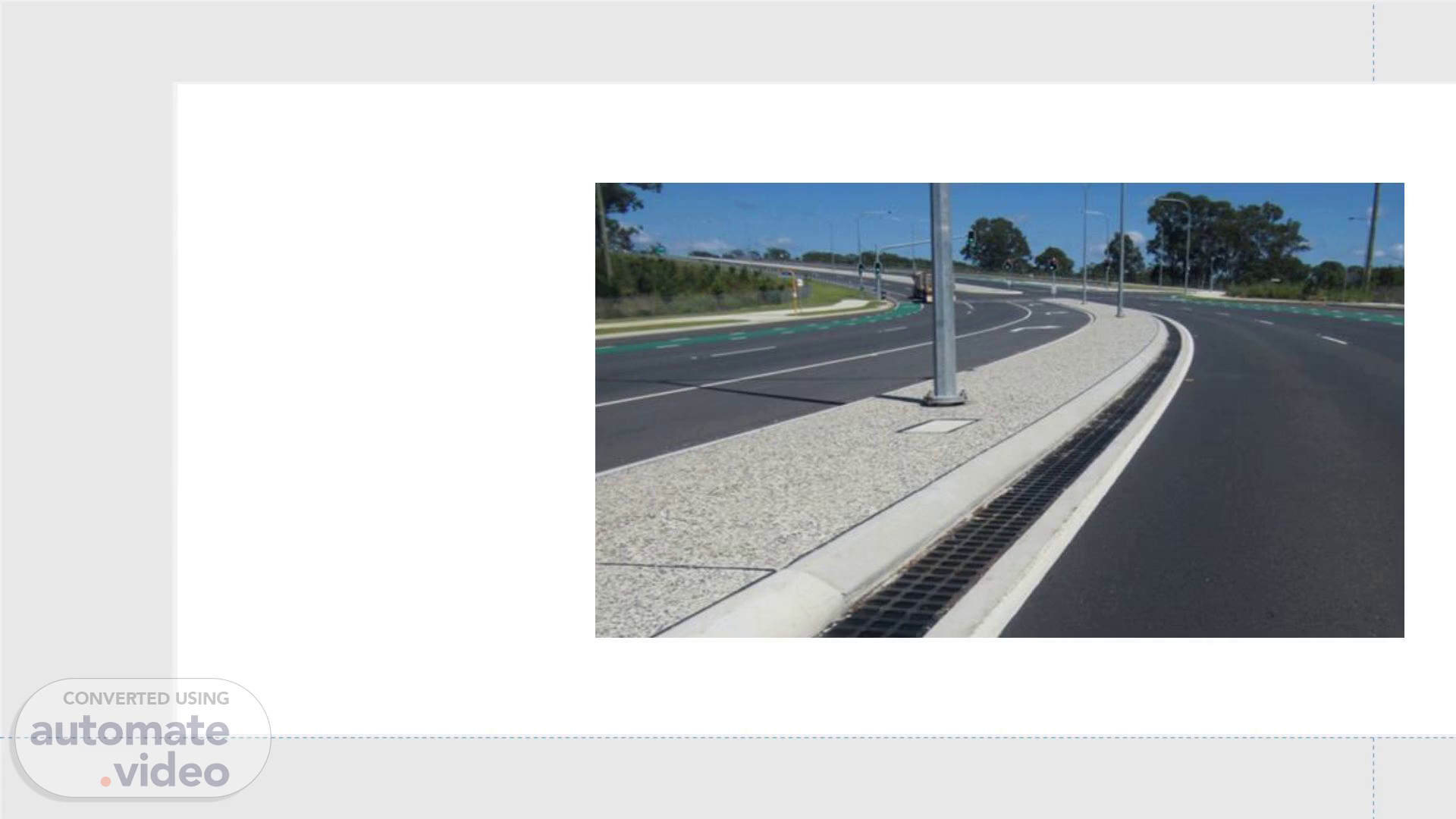
[Audio] Curb and Gutter Concrete edge barrier combined with a water drainage channel. Where It Is Placed Along road edges Parking lots Drive aisles Purpose Drainage control Vehicle guidance Pavement edge protection.
Scene 3 (39s)
[Audio] How to identify on drawings Identified in the grading and paving plan Typical callouts: C&G Valley gutter Header curb.
Scene 4 (1m 20s)
[Audio] Here are the common types of concrete curbs used in roads, parking lots, sidewalks, and landscaping:.
Scene 5 (2m 30s)
[Audio] How to Do Takeoff 1st Step for Doing a Curb Takeoff: Look at the Overall Plan or Site Plan first. Sometimes, curb locations and details may also be shown in the Grading Plan or Landscaping Plan. Review these plans carefully to identify all curb indications and curb types before starting the takeoff. Also, check the curb elevations in the Grading Plan, as they may help confirm the curb’s presence and alignment Things to Keep in Mind While Performing Curb Takeoff Look for curb references in the plan notes, legends, and proposed tags. Identify the difference between proposed curb and the existing curb. Sometimes, existing curbs and proposed curbs may appear on the same plan. Find the reinforcement details and size details of the curb and gutter before starting the quantity takeoff..
Scene 6 (3m 33s)
[Audio] To identify curb and gutter details, review the Site Details, Paving Details, and Street Details sheets. Also, check the keynotes, plan legends, and general notes, as they may contain important information about curb reinforcement and dimension details. There may also be various height and width dimensions for different curb types, so review all detail sheets carefully before starting the takeoff..
Scene 7 (4m 15s)
[Audio] How to Create a Curb Feature in OST (On-Screen Takeoff) Open the Condition Properties window in OST. Create a new condition for the curb type you want to measure (Example: Curb & Gutter, Header Curb, Valley Gutter, etc.). Select the Linear Takeoff Tool, as curbs are typically measured in Linear Feet (LF). Unit: LF (Linear Feet) Measurement Method: Measure the total centerline length of the curb. Select the 2nd Quantity as Volume (CY) to calculate the concrete volume for the curb and gutter takeoff Include in Takeoff: Radius curb, curb returns, and depressed curb sections. Go to the Feature section and create a feature name according to the curb type. Add the required details such as: Curb Type Width & Height Dimensions Reinforcement Details Measurement Unit (LF) Color/Pattern for easy identification Assign a proper layer color so different curb types can be identified easily on the plan. To identify curb and gutter details, review the Site Details, Paving Details, Street Details, keynotes, plan legends, and general notes. These sheets and notes often contain important information about curb dimensions, reinforcement, and curb types. There may also be various height and width dimensions for different curb types, so review all details carefully before starting the takeoff. Common Mistakes: Missing curb transitions Double-counting radii Ignoring depressed curb areas Measuring the wrong curb type from the plan Review the completed takeoff carefully to confirm all curb segments, transitions, and curb types are included correctly. OST Feature Example.