Scene 1 (0s)
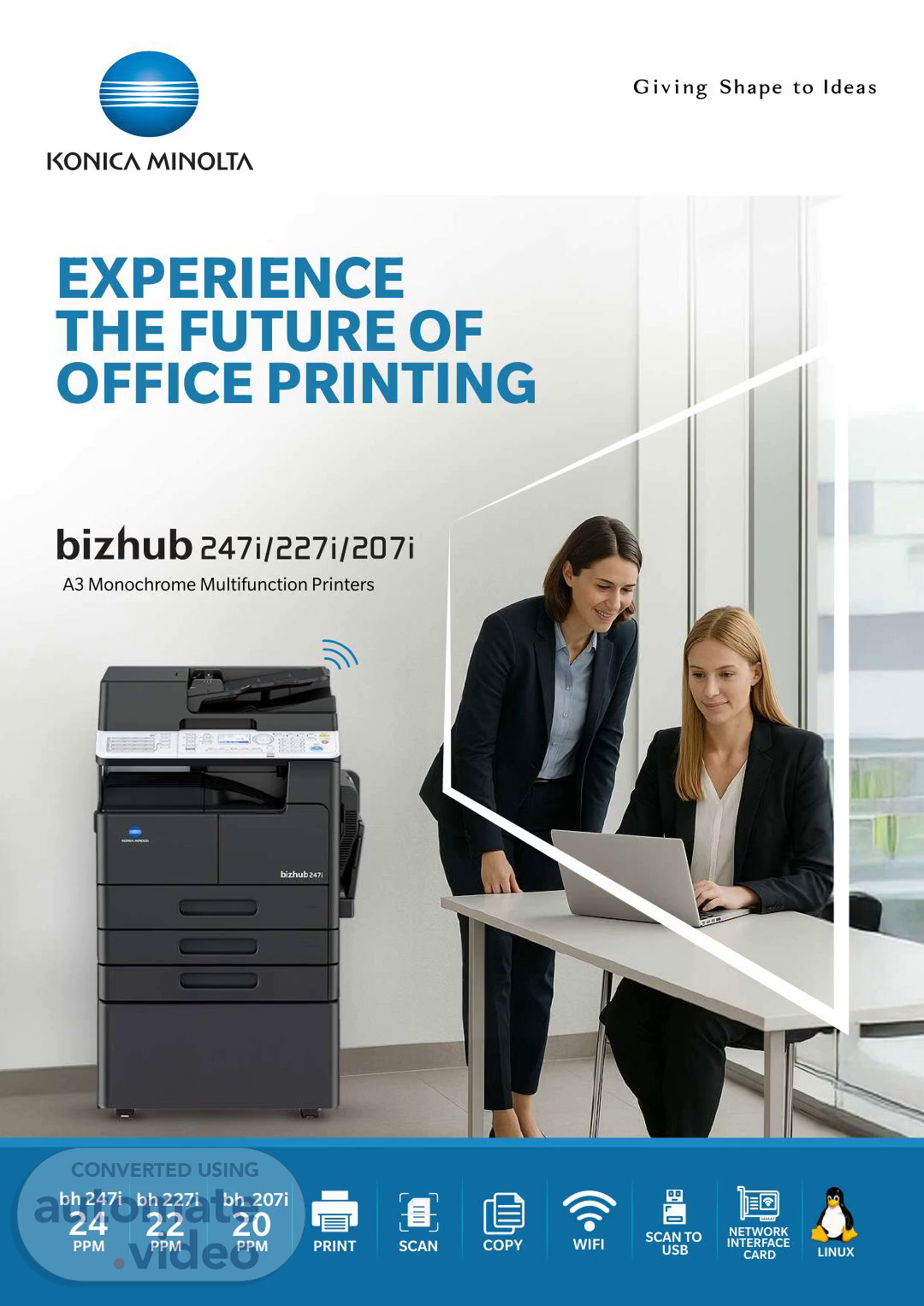
[Audio] EXPERIENCE THE FUTURE OF OFFICE PRINTING A3 Monochrome Multifunction Printers bh 247i 24 PPM bh 227i 22 PPM bh 207i 20 PPM PRINT SCAN WIFI LINUX COPY SCAN TO USB NETWORK INTERFACE CARD.
Scene 2 (29s)
[Audio] 1 Double Up The optional Auto Duplex Unit (AD-509) enables Duplex Print and Duplex Copy thus helps in saving paper. CONTROL PANEL Easy to understand and easy to use. One touch buttons for speedy operation. 2 2 2 2 1 1 1 2 1 1 2 1 Get to the Point 1-SIDE 2-SIDE 2-SIDE 1-SIDE 2-SIDE 2-SIDE *Optional in bizhub 207i ID Copy Find your way around in moments with an intuitive layout and Frequently used functions such as ID copy, Simplex/ Duplex can be assigned to the one-touch hard-key to save overall operation time. Backlit LCD Screen Combine both sides of small or irregularly shaped documents onto one page with the ID Copy function. The ID Copy function can be accessed from the operation panel. The five-line, backlit LCD display helps in solving problems quickly. Clear error indications and illustrated guidance assist you about how to resolve the problem. Scan the front Scan the back Consolidate output onto one sheet *Scannable range: Up to A5 size With the Multi ID Copy function, you can scan multiple small documents at once, thereby combining the fronts and backs onto a single sheet. This is ideal for business cards. a a a a b b b b c c c c Scan the front Scan the back Consolidate output onto one sheet *Scannable range: Up to A5 size COPY & PRINT Plenty of useful layout options to keep your documents organized. SCAN & FAX Digitise your documents in full color and send them straight to where you need them. Handy Booklets Easily collate your multi-page documents into a booklet with Booklet Print. Scan Double-sided 4 3 6 The optional Reverse Auto Document Feeder (DF-633) enables duplex scanning to increase work efficiency. 1 4 2 3 5 Scan in Full Color 1 2 3 4 5 6 7 8 2 8 1 Digitise your documents quickly and easily. Scan up to 20 pages per minute* in full color, and choose what format you wish to store them in, including JPEG, PDF or TIFF. 7 *20 ppm is the speed when equipped with optional Reverse Automatic Document Feeder DF-633 Get Everyone on the Same Page Print multiple pages onto one sheet with N-up Print. Collate 2 or 4 pages into one. 2 1 2 1 2 1 4 3 2 1 4 3 2in1 4in1 Supported Linux OS Red Hat Enterprise Linux 7.x, 8.x, 9.x Open SUSE Leap 15.x Kylin (V10) Neokylin (V7) UOS (V20).
Scene 3 (3m 28s)
[Audio] 2 Infrastructure Mode Document format supported email Scan Client PC In the infrastructure mode, the wireless LAN adapters that are mounted on respective devices, communicate with each other via an access point. JPG SMB Client PC PDF FTP FTP server USB TIFF USB memory Select Your Destination Once your documents are scanned, you can send them to the desired destination directly from your bizhub. Store files straight to a USB storage device via the USB port, send them via e-mail, SMB or to an FTP server. MOBILE CONNECTIVITY No need to waste time transferring documents to your office computer for print. Work on-the-goand stay on-the-go. Sent in Seconds with G3 Fax With the addition of the optional Fax Kit (FK-510) and Fax Panel (MK-750) you can send faxes in as little as 3 seconds via high-speed G3 faxing. A variety of faxing options are available allowing you to select the ideal format for your document. Select Super Fine image quality for high quality transmission and choose from multiple paper sizes. * Not Applicable in bizhub 207i Mobile Print for bizhub 247i/227i/207i The Mobile Print app allows you to print directly from your Android** and iOS device using your company's Wi-Fi network. The simple and intuitive app interface makes it easy to select and send documents and even enables documents stored in the cloud to be printed directly through your bizhub. Internet Fax Save on running costs by using Internet Fax to send your documents via your existing internet connection. Ideal for office where fax is a necessity, but not in use every day. Requires optional Fax Kit (FK-510) and Fax Panel (MK-750). Only applicable for bh 247i and bh 227i *For Android devices download from the Google Play Store and for iOS devices download from the App* Store. Requires a wireless LAN environment **Android devices can connect and print wirelessly to the MFP only in infrastructure mode as the Android OS platform does not support Ad-hoc mode. LAN Mobile Print Light Bizhub BW Internal wireless LAN Tablet / Smartphone Wireless LAN: Standard The new standard Wi-Fi provide the flexibility to users to connect their Android and iOS devices directly with MFP for print. Even customer can connect with their existing Wi-Fi routers. Operation Mode The wireless LAN has the following two operating modes, and each can be selected according to the use environment of the main body. Ad hoc Mode In the ad hoc mode, the wireless LAN adapters that are mounted on respective devices, communicate with each other directly..
Scene 4 (6m 30s)
[Audio] 3 SECURITY SUSTAINABILITY Protect your information and keep your office environment secure. Simitri Toner with Biomass SMTP Authentication Simitri toner with biomass reduces the impact on the environment. Less energy consumption during production compared to pulverised toner production methods, reducing CO2, NOx and SOx emissions by more than 1/3. Suppressed power consumption during use. Using plant-based resources and reducing the amount of petroleum-based resources for environmental consideration. This security tool enables the sending of documents via e-mail with authentication by an SMTP enabled server. Ideal for smaller offices without a private e-mail server, a connection to an SMTP enabled server allows SSL communication, so e-mails can be sent in a security-conscious state. Comparison of CO² emissions during the production of Simitri toner and pulverised toner Authentication with ID and password MFP with SMTP Authentication SSL communication SSL communication about 30% Simitri toner Pulverised toner ISP Mail Toner Loop Mechanism Watermark Your Documents Konica Minolta's original Toner Loop Mechanism, which collects, circulates and reuses any toner that has not been transferred to the paper, is utilized in this series. This process realises resource conservation by reducing the normally 5 to 10% of wasted toner to zero. Ensure your documents are clearly labeled to help prevent them falling into the wrong hands. Choose from a range of watermark options to suit the purpose of your document. Fresh toner 1 2 3 Reused toner 4 4 3 2 1 Developing unit CONFIDENTIAL CONFIDENTIAL CONFIDENTIAL Drum CONFIDENTIAL Cleaning Paper Transferred to paper Account Tracking Enable Account Track on your bizhub with a three-digit account number to use the copy feature. This prevents unauthorized users from using the bizhub and tracks the volume of copying done by each account. Secure Print When you enable this option, a password is required at the bizhub itself before a document will print. Set the password via the print driver at your computer, then enter it on your bizhub's control panel to start the print job. This prevents confidential documents from lying around the office or being accessed by an unauthorized user. *Passwords can be set in the range 0000~9999. Password input Print Print order Print.
Scene 5 (9m 18s)
[Audio] 4 bizhub 247i : 24 ppm bizhub 227i : 22 ppm bizhub 207i : 20 ppm Monochrome graphic LCD with backlight ; Wi-Fi (IEEE 802.11 a/b/g/n/ac) r 380 sheets/1,500 sheets (standard/max.) 1x 280; A5-A3; custom sizes 1x 280 sheets;A5-A3; custom sizes; 64-90 g/m (Upto to 4x) * Fleet RMM, Web Connection 2 bizhub 225i Datasheet Windows Server 2016 (x64)/ 2019 (x64)/ 2022 (x54) Windows 10 (x86/x64)/ Windows 11 Red Hat Enterprise Linux 7.x, 8.x, 9.x Open SUSE Leap 15.x Kylin (V10) Neokylin (V7) UOS (V20) Warm-up time may vary depending on the operating enviroment and usage. *Standard in bh 247i and bh 227i. ²Tray capacity is calculated on 80 GSM media. CUSTOMER BENEFITS 2 bizhub 225i Datasheet Services ment, including automatic consumables delivery, pro-active maintenance and remote setup SYSTEM CONFIGURATION CUSTOMER BENEFITS 2 bizhub 225i Datasheet OPTIONS Connectivity Others LEGEND CONNECTIVITY 2 OTHERS 1 1 Services Option Document feeder DF-633 Mandatory option This option is mandatory with above option installed or CUSTOMER BENEFITS Original cover 2 ment, including automatic consumables delivery, pro-active maintenance and remote setup OC-512 Fax board FK-510 Wireless LAN SX-BR-300AN Optional Panel MK-750 FINISHING FUNCTIONALITIES Duplex unit AD-509 OPTIONS Services Connectivity Others DUPLEX CONNECTIVITY 2 CONTECTIVITY 2 1 Media Input MEDIAINPUT 3 ment, including automatic consumables delivery, pro-active maintenance and remote setup DESCRIPTION Fax board FK-510 Optional Panel 2 OPTIONS MK-750 Fax board FK-510 Wireless LAN SX-BR-300AN Optional Panel MK-750 CONNECTIVITY FK-510 Fax board MK-750 Optional panel Needed for fax function and scan one-touch destinations Connectivity Others CONNECTIVITY 2 MEDIA INPUT 3 OTHERS 1 DF-633 Document feeder PaperTray PF-507 Copier desk (large) DK-706 Copier desk (medium) DK-707 Copier desk (small) DK-708 Paper tray PF-507 3 OC-512 Original cover AD-509 Duplex unit g )e ral( k se d reip Co DK-706 Media Input MEDIAINPUT 3 2 Fax board FK-510 Wireless LAN SX-BR-300AN Optional Panel MK-750 ( k me uid m) se d reip Co DK-707 MEDIA INPUT PF-507 Paper tray Copier desk (small) DK-708 DK-706 Copier desk (large) DK-707 Copier desk (medium) DK-708 Copier desk (small) Media Input MEDIAINPUT 3 PaperTray PF-507 Copier desk (large) DK-706 Copier desk (medium) DK-707 Copier desk (small) DK-708 3 *FK-510 and PF-507 not applicable for bizhub 207i. AD-509 is standard with bizhub 247i/227i PaperTray PF-507 Copier desk (large) DK-706 Copier desk (medium) DK-707 Copier desk (small) DK-708 3.
Scene 6 (12m 38s)
[Audio] https://bt.konicaminolta.in/bizhub247i/227i/207i-Product-Overview For more information, please visit the bizhub website at 09/2025.